
Photograph every business receipt within a minute of paying, and attach four things while you are there: vendor, date, amount and category. That is the entire habit. Do it daily and month-end becomes a twenty-minute export instead of a shoebox excavation. Skip it and no software, accountant or spreadsheet can rebuild proofs that were thrown away with the parking ticket.
The habit loop: capture, tag, sweep
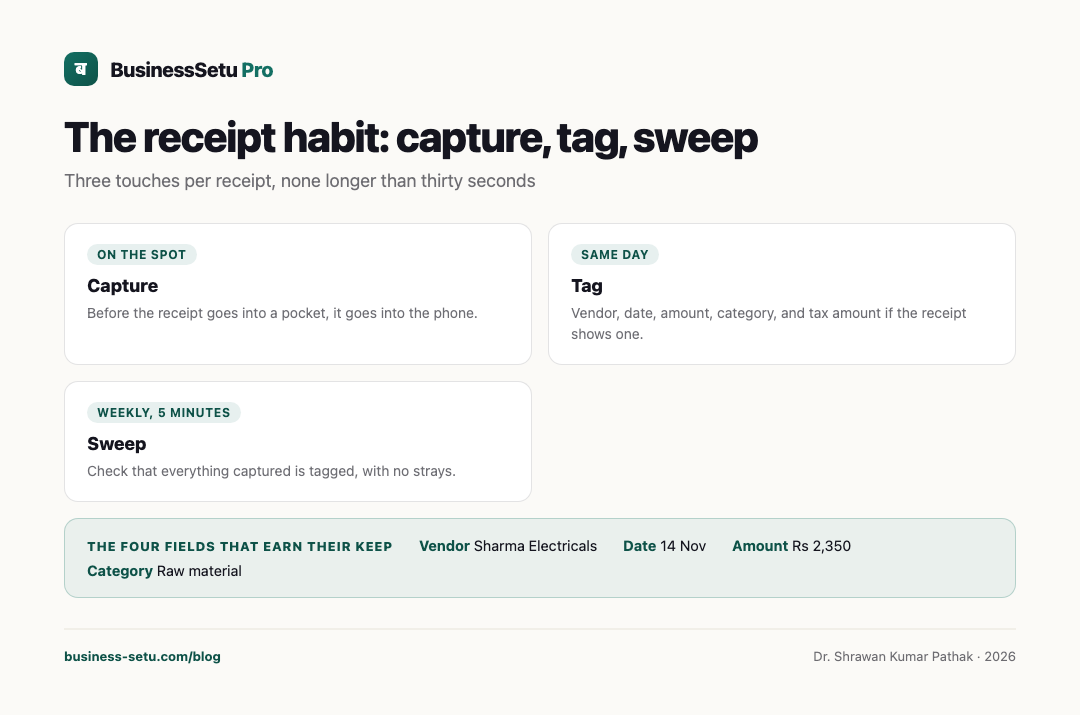
Three touches per receipt, none longer than thirty seconds:
- Capture, on the spot. Before the receipt goes into a pocket, it goes into the phone.
- Tag, same day. Add vendor, date, amount, category, and tax amount if the receipt shows one.
- Sweep, weekly. Five minutes checking that everything captured is tagged, with no strays.
The loop fails at capture when the owner plans to "do them together tonight". Receipts fade, tear and disappear in washers. Night never comes; the photo, taken in the moment, always does.
Capture quality: five checks
A receipt photo is a proof, so make it a readable one:
- Flat the paper on a solid surface, not mid-air.
- Fill the frame with the receipt, edges visible.
- Avoid shadow, especially your own phone's shadow.
- For long thermal bills, take two photos, top and bottom, rather than one blurry compromise.
- Check the print is legible on your screen before moving on, especially the amount and the date.
Thermal paper fades within weeks, which is a quiet argument for photographing even receipts you plan to keep in paper form.
The four fields that earn their keep
| Field | Why it matters | Example |
|---|---|---|
| Vendor | Who you paid, for matching statements | Sharma Electricals |
| Date | Ties the spend to the right month | 14 Nov |
| Amount | The figure your books and statement must match | Rs 2,350 |
| Category | Makes monthly review meaningful | Raw material |
| Tax shown | The GST line, if present, for later review | GST Rs 282 |
Category deserves a small fixed list, not free text. Fuel, raw material, packing, travel, phone, rent, repairs, miscellaneous: eight categories cover most small businesses. Free-text categories become a second job at month-end.
Duplicates: the silent inflator
The same spend can generate three proofs: a paper bill, a payment screenshot and an email invoice. Photograph exactly one, the document the vendor issued, and if the payment screenshot carries a useful reference, note the reference in the record rather than saving a second image. Once a week, scan the week's entries for repeat amounts from the same vendor on the same day. Duplicate expense records do not just inflate your view of spending; they create clean-up work for your CA and confusion in any review.
Business versus personal: a bright line
The habit depends on honesty about what is business spending. A simple rule: if you would struggle to explain the expense to a tax officer as part of earning your business income, it does not belong in the business records. Family groceries on the same card, personal phone recharges, a birthday gift for a friend: keep them out, even if the same wallet pays for everything. Where a bill genuinely mixes both, such as a trip, record the business portion with a one-line note on how you split it, and flag it for your professional's view rather than quietly rounding.
Backup: proofs must survive the phone
A receipt photo on a single phone is one drop away from gone. Two simple layers are enough for most small businesses: the records live in an app or cloud service rather than only the gallery, and the month's entries are exported at month-end to a folder you also keep somewhere safe. If you use BusinessSetu for expense capture, the receipt photo is attached to the expense entry with vendor, category, date, amount and GST fields, so the proof and the record are one object, and the month-end export to your CA carries receipt references instead of a pile of images. The service runs on Indian servers with daily backups retained for fourteen days, and transport security details such as TLS and password hashing are published on its security page. Backups protect against the app side of loss; your own monthly export protects against everything else.
The CA hand-off
At month-end your professional needs to trust both the entries and the proofs. A clean hand-off has three parts: the expense list with categories and totals, the receipts attached or referenced per entry, and a short note of anything unusual, mixed bills, missing receipts, big one-off purchases. Missing receipts should be listed as missing, not papered over; your CA can advise what a bank statement or a vendor duplicate can substitute, but only if the gap is visible.
Common mistakes
- Stuffing receipts in a drawer with monthly intent and quarterly panic.
- Photographing only big bills, when small recurring spends are where months quietly leak.
- Gallery-only storage, where proofs die with the phone.
- One category called "miscellaneous" holding forty percent of the month.
- Mixing personal spends in, then paying an accountant to unmix them.
- Trusting auto-read amounts without checking the photo, when a missed digit changes the books.
Frequently asked questions
Is a photo of a receipt acceptable as a proof?
For your own books and monthly review, a clear photo tied to the entry is standard practice. What formally counts as sufficient proof for tax purposes in your case is a question for your qualified professional.
What about expenses with no receipt at all, like auto fares?
Record the date, amount and purpose as a cash entry with a note. Some spends never generate paper; recording them honestly is still better than dropping them.
How long should I keep expense proofs?
Longer than feels necessary; tax record-retention periods are measured in years. Keep digital exports by month and confirm exact retention needs for your situation with your professional.
Do I need a separate expense app if I already bill through an app?
Prefer one system. If your billing app also holds expenses with receipt photos, the month-end story, sales, payments, expenses, is in one place and reconciles against one another.
What is the single best category list to start with?
Start with the eight listed above and split only when a category exceeds roughly a tenth of monthly spend. Categories exist to answer questions, not to look professional.
Start the habit with tomorrow's first bill
Photograph the very next business receipt you receive, tag it with the four fields, and repeat for a week. If the loop holds, move it into BusinessSetu on the 14-day free trial, no card needed, and let the month-end export assemble the proofs and totals for you. Questions before you start are answered on the talk-to-us page.